


For Small Businesses
Specifically designed for guesthouses, lodges, boutique hotels, apart hotels and hostels.
Affordable Solution
One-time license fee. No monthly or annual subscription, no time limit.
Graphical Room Suggestion
Hotel software system providing optimal room utilization with smart algorithms.
Online Sales
Full OTA integration with Reseliva channel manager.
🏨 Why Assist for Small Accommodation Businesses?
Assist is an ideal hotel management system for small and mid-sized properties. Serving the hospitality industry in Turkey since 1997, this professional hotel PMS is powered by a robust SQL Server infrastructure and used by a wide range of properties — from guesthouses to boutique hotels. Covering everything from reservation management and front office operations to room rack displays and folio tracking, Assist works without internet and keeps your operations running smoothly even during connectivity outages.
🏠 Guesthouse
Room management, seasonal pricing, guest tracking
🏘️ Lodge
Reservation management, guest information, payment tracking
🎓 Teacher Lodge
Long-term stays, monthly/weekly pricing
🌟 Boutique Hotel
Personalized service, custom guest notes
🏢 Apart Hotel
Daily/weekly rental, apartment-based management
🏛️ Hostel
Simple room tracking, guest records, reporting
💡 Why Do Small Businesses Choose Assist?
- Affordable: One-time license fee. No monthly or annual subscription.
- Easy to Use: No complex menus, clean interface.
- On-Premise Installation: No internet dependency, your data stays with you.
- Law Enforcement Integration: Automatic guest ID registration.
- Technical Support: Phone and remote connection support.
What Is Assist Hotel Software?
Assist hotel software is an affordable hotel management solution for small and mid-sized hotels, guesthouses, lodges and boutique hotels — with no time or feature restrictions.
Continuously developed since 1997, Assist runs on a powerful Microsoft® SQL Server database. Designed to be easy to learn, considering frequent staff changes in the hospitality industry.
📹 Introduction Video

This video demonstrates Assist's front office workflow. The video is in Turkish but provides a visual overview of the software interface.
🏨 Hotel Front Office Software & Reservation System
Assist hotel front office software — a comprehensive solution for managing daily hotel operations hotel reservation software managing daily operations. With the front office module, perform check-in, check-out, room assignment and guest registration tasks with ease.
Front Office Software Features
📋 Reservation Management
Hotel reservation software — manage online and offline reservations from a single center. Automatic confirmation, cancellation and modification operations.
🚪 Check-In/Check-Out
Front office software with fast check-in and check-out operations. Integrated with the law enforcement guest registration (KBS) system.
🛏️ Room Management
Track room statuses in real-time with the room rack view. Hotel reservation software for availability check and room assignment.
💡 Why Choose Assist Front Office Software?
- Front office Front office and reservation module fully integrated
- Hotel reservation software with OTA integrations (Booking.com, Reseliva)
- Front office software on-premise — works without internet
- Graphical room rack and room assignment
- Automatic pricing and season definitions
What is Reservation Software for Hotels?
Reservation software manages room availability, booking records, guest information and check-in/check-out flow from a single center. Assist Hotel Software goes beyond reservation tracking — it integrates with front office (PMS), reporting and operational processes for comprehensive management.
💡 Want to learn more about hotel reservation software?
📦 Modules & Features
Front Office Module
+- Room suggestion system
- VIP guest list
- Notes
- Reservations
- Dirty/clean room status
- Local clocks
- Room availability/quota
- Invoice printing
- Daily exchange rates
- Check in
- Front office reports
- Expense definitions
- Check out
- Forecast reports
- Department definitions
- Maintenance/repair
- Cash register report
- User authorization
- Expense entry
- Tax office reports
- Backup
- Partial payment entry
- Country overnight report
- Reseliva integration
- ID information entry
- Registration form
- Blacklist
- Statistical charts
✓ Automatic guest ID registration to law enforcement (KBS) system
Accounts Module
+- Integrated with front office
- Management Reports
- Balance lists
- Account card definitions
- Account ledger list
- Carry-forward operations
- Account transactions
- Account transaction lists
Inventory Module
+- Integrated with front office
- Inventory list
- Critical stock level
- Barcode point of sale
- Inventory movements
- Recipe definitions
- Department-based inventory
- Transaction report
- Material definitions
- Cost analysis
⭐ Key Features
🎯 Graphical Room Suggestion System
The graphical displays in Assist's Reservation and Check-In screens show room features and their status over a thirty-day period. Their primary function is to suggest the optimal room to the user.
The room rack can suggest rooms using two different methods:
📅 By Reservation/Check-In Date Range:
A method for busy periods. After specifying arrival and departure dates, the room rack finds available and occupied rooms within the date range, analyzes occupancy patterns, and suggests the room with the most suitable availability. By following the rack's suggestions, situations like wasting a ten-day vacancy for a three-day stay are eliminated, and room changes are minimized. During high-occupancy periods, following the rack's recommendations ensures maximum room efficiency and minimum room changes.
📊 By Usage Intensity:
A method for low-occupancy periods. The room rack suggests less-used rooms based on historical usage rates, equalizing wear across rooms. This extends the timeline before repairs, renovations and furniture replacement are needed, providing cost savings.
🏛️ Integrated with Law Enforcement (KBS) Guest Registration System
With this feature, guest check-in/check-out reports are handled automatically from the program — no need to manually enter them on the government portal.
Potential penalties arising from delayed or forgotten guest reports due to workload are eliminated.
📸 Webcam & Scanner Photo Capture Feature
To learn more about this feature, please click here (video in Turkish).
🌐 Integrated with Reseliva Channel Manager
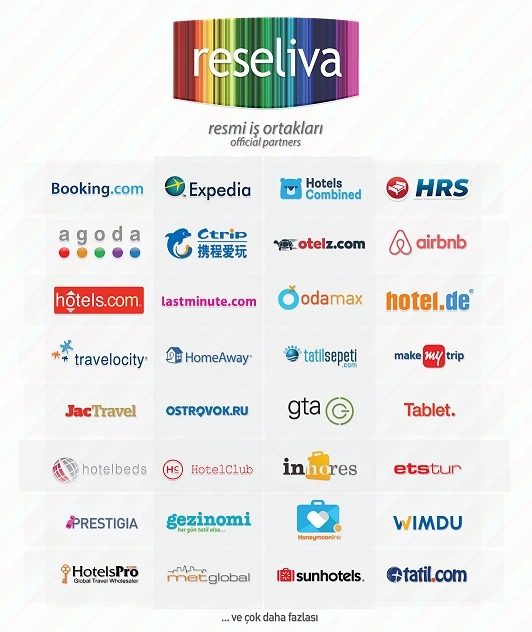
Reseliva channel manager is a web-based application that enables you to sell rooms across all online sales channels easily and seamlessly. Assist hotel software is fully integrated with Reseliva.
"Reseliva" is a trademark of Nivera Information Technologies.
🔍 Technical Advantages of Assist
Assist is user-friendly and eliminates unnecessary technical operations. Here are tasks that are mandatory in other programs but run automatically or are simply not needed in Assist.
Night audit
All department revenues can be tracked in real-time. Department transactions can be viewed in detail and as totals at any time of day without requiring any day-close operation. All needed reports can be generated at any time with real-time data.
Room posting
At the end of each day, Assist automatically posts accommodation charges to room accounts. No special action is needed. After midnight, when you access folios or reports, that day's charges appear as already processed.
Folio balance
In Assist, it is impossible to enter expenses/payments for rooms that are not actually occupied (or don't exist). The program prevents users from completing transactions without entering all required information correctly. Users cannot make any errors that conflict with the program's logic. Additionally, all user errors can be corrected at any time or erroneous entries can be cancelled.
Day close / Period-end transfer / Year-end transfer
Assist doesn't require such operations. All department transactions can be viewed in real-time as details and totals at any time without day-close operations. There's no need for day-close/open to process or view that day's transactions. All past transactions (including modified or deleted ones) can always be viewed with full details, and changes can be made at any time.
"Period-End / Year-End Transfer" operations required by some hotel software are not needed in Assist.
Training and adaptation
Staff software training costs during turnover are significant. Learning complex programs can take a long time, and productivity may suffer during adaptation.
Assist was built with clear logic that even non-hospitality professionals can easily understand. The program avoids unnecessary jargon and complexity, making it very easy to learn and adapt to.
Assist comes with a detailed and carefully prepared user manual. On every screen, you can access context-sensitive help with the F1 key. Additionally, training videos on YouTube are freely available to anyone who needs them.
How is it different from cloud-based hotel software?
Cloud-based (SaaS) hotel software can offer flexibility as it can be accessed from any internet-connected device.
However, this approach typically depends on internet connectivity and the provider's infrastructure. Connectivity issues or service outages can affect access and business continuity.
With on-premise systems, software runs on the business's own computer/server. Daily operations are minimally affected by internet outages.
Assist is an on-premise hotel management system; it does not require internet for daily use (except for remote support and updates). Data access, backup and authorization processes are managed within the business's own infrastructure.
For a more detailed comparison of cloud-based and on-premise systems in terms of cost, data management and operational needs, visit otelyazilimi.tr.
If you need remote access, you can use remote connection programs such as TeamViewer, Ammyy or Alpemix. These solutions provide the flexibility of cloud systems while keeping your data secure.
Detailed Comparison
For all differences, advantages, disadvantages and cost analysis between cloud-based and on-premise hotel software:
https://otelyazilimi.tr →❓ Frequently Asked Questions
Cloud-based (SaaS) systems typically require internet and data is hosted on the provider's infrastructure. On-premise systems run on the business's own computer/server.
Assist is an on-premise hotel management system; no internet needed for daily use (except for remote support and updates).
Data access, backup and authorization are managed within your own infrastructure. For a detailed comparison, visit otelyazilimi.tr
📥 Download
In the trial version, you can explore Assist's front office, accounts and inventory modules. Law enforcement (KBS) integration and Reseliva integration are NOT available in the trial version.
The trial version uses Microsoft Access as the database, while the full version uses MS SQL Server. You can customize everything to match your property and TEST THE PROGRAM WITH FULL FUNCTIONALITY FOR 20 DAYS. ALL DATA YOU ENTER during the trial will be transferred to the full version.
After downloading and installing Assist, log in with username "Admin" and password "Admin", enter facility code 12345 in the Activation section, and START YOUR 20-DAY TRIAL IMMEDIATELY.
If you need assistance during installation or use, please call us at 0 554 552 73 68.